During a Teradata migration to BigQuery, one complex and time consuming process is migrating Teradata users and their permissions to the respective ones in GCP. This mapping process requires admin and security teams to manually analyze, compare, and match hundreds to thousands of Teradata user permissions to BigQuery IAM permissions. We already described this manual process for some common data access patterns in our earlier blog post.
We are excited to introduce the BigQuery Permission Mapper tool, which will automate this phase in your migration journey and provide the respective IAM permissions as JSON files or Terraform scripts. You will need to confirm which Teradata roles and resources to map to GCP – the tool handles the rest. The tool reduces this step’s error-prone nature and supplements our existing BigQuery Migration Service.
From our partners:
BigQuery Permission Mapper is an open source Python CLI tool. This tool runs locally and does not require setting up any connection to Google Cloud. One of the core parts of the Permission Mapper is a JSON file where we describe how to map Teradata ACL codes to BigQuery IAM permissions. To determine this mapping, we analyzed how Teradata assigns permissions to roles and users and defined a strategy to match those to their BigQuery permission counterparts.
How does the BigQuery Permission Mapper work?
There are three main steps to perform:
- Retrieve permissions from your Teradata instance
- Verify how your Teradata objects are mapped to GCP resources
- Generate JSON or Terraform files containing BigQuery IAM permission bindings
You should use this tool after the data sources (datasets and tables) are already in BigQuery since you need to provide the respective GCP names of the Teradata objects during step 2. These data sources are also needed to perform permission bindings to BigQuery resources in step 3.
Retrieve permissions from your Teradata instance
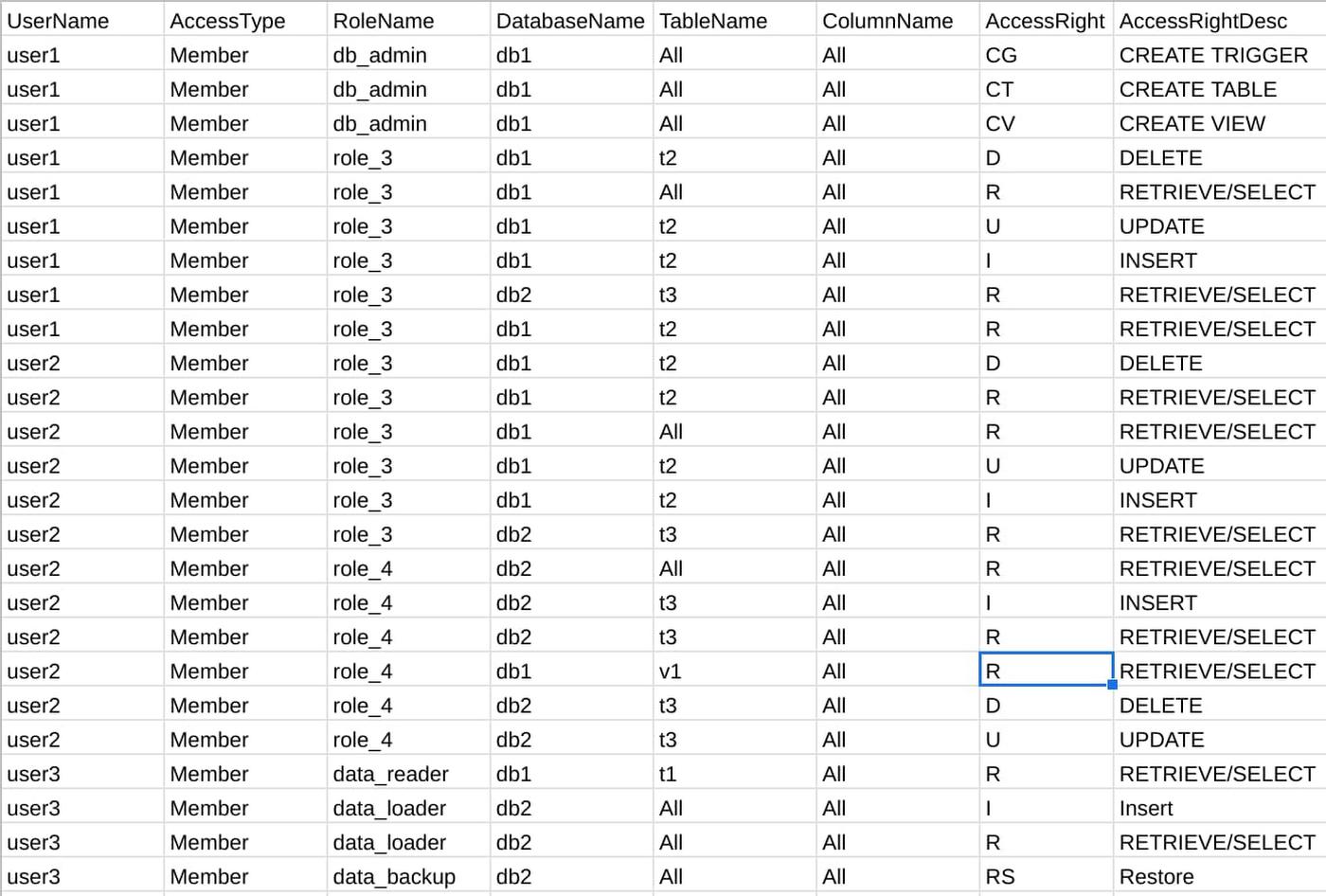
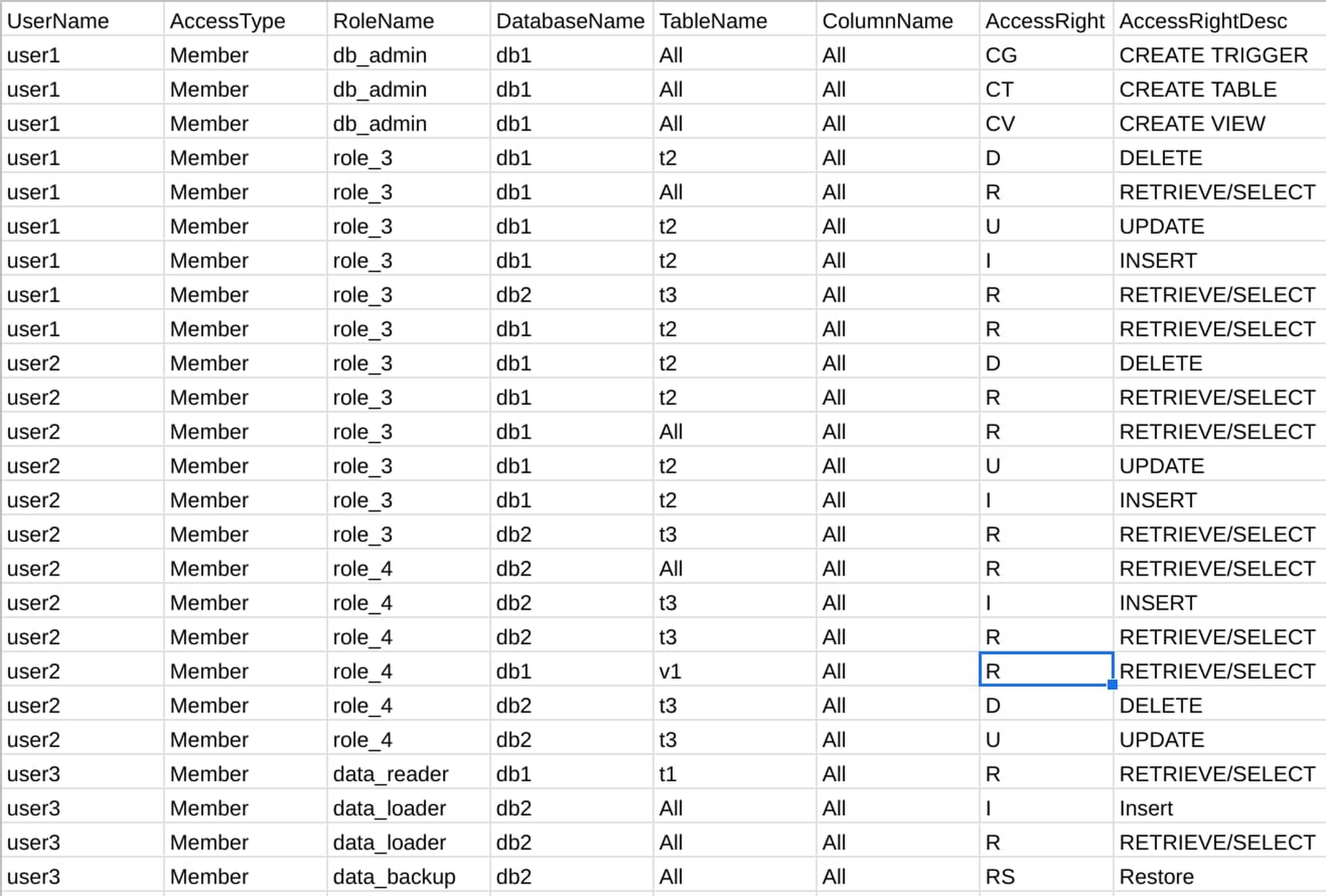
The mapper needs to know what the user permissions are in your Teradata instance to create the respective BigQuery IAM. Running the tool’s provided SQL query in your Teradata environment will extract this as a CSV file. You provide this file as input to the mapper. Here is an example of what the permissions file may look like:
Verify how your Teradata objects are mapped to GCP resources
Next is the validation step, where you decide which Teradata resources you would like to map to Google Cloud and BigQuery. Using the above permission file, the tool will first break down the various Teradata resources and roles into four local CSV files for you to review: users, groups, datasets, and tables. Those are the GCP resources that the mapper correlates with the objects in your Teradata database.
Some example modifications you can make in these files are:
- Reflecting that a Teradata object’s name has changed during migration to BigQuery (for example, if a Teradata table is named “table_one” but is named “table_1” in BigQuery)
- Renaming or merging GCP groups that correspond to Teradata roles
- Choosing to not map a resource
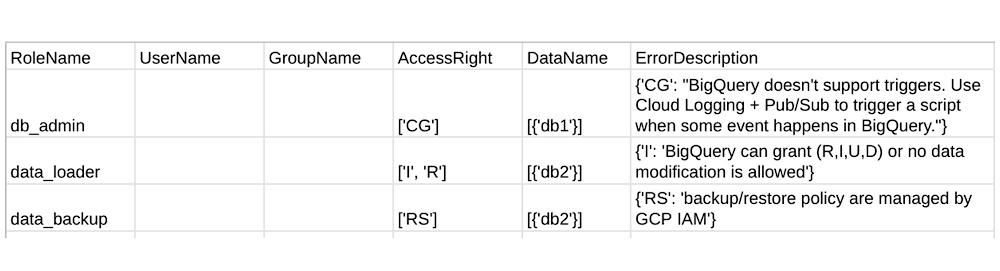
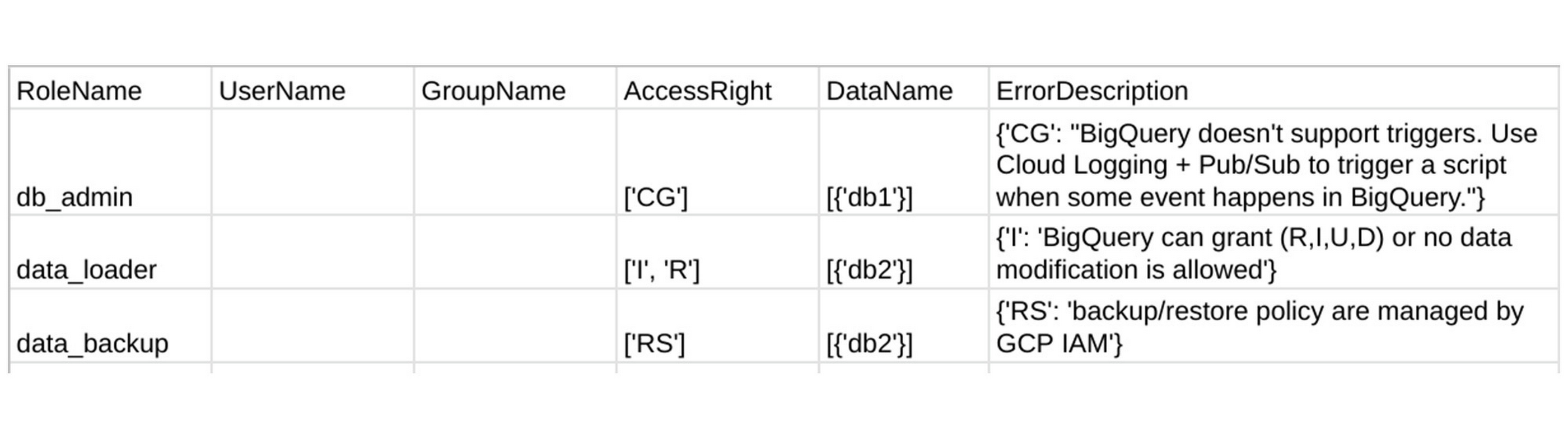
As the tool doesn’t have access to your GCP environment, we ask you to verify and fill in these four files. Detailed examples of how to do so is in the mapper user guide. The tool’s success is dependent on your accuracy when modifying these files, however, there are also safeguards in place. During validation, the mapper also creates another CSV file which reports common user errors and Teradata permissions that do not have a corresponding BigQuery IAM. For example, the Teradata permission “Create Trigger” does not have an equivalent in BigQuery, and so the mapper will reports this in the file if encountered:
As for roles, we have seen how to manually map common Teradata user-defined roles to BigQuery IAM custom roles. Here, the custom roles are created in a similar way and then automatically bound to GCP groups and users based on their IAM permissions.
Generate Terraform scripts and JSON files
With the above four files now modified to represent what your desired BigQuery IAM looks like, you will need to decide the preferred final output format: Terraform scripts or JSON files. In this step, the mapper takes the four files as input to generate a CSV representation of the mapping and the executables in your local directory.
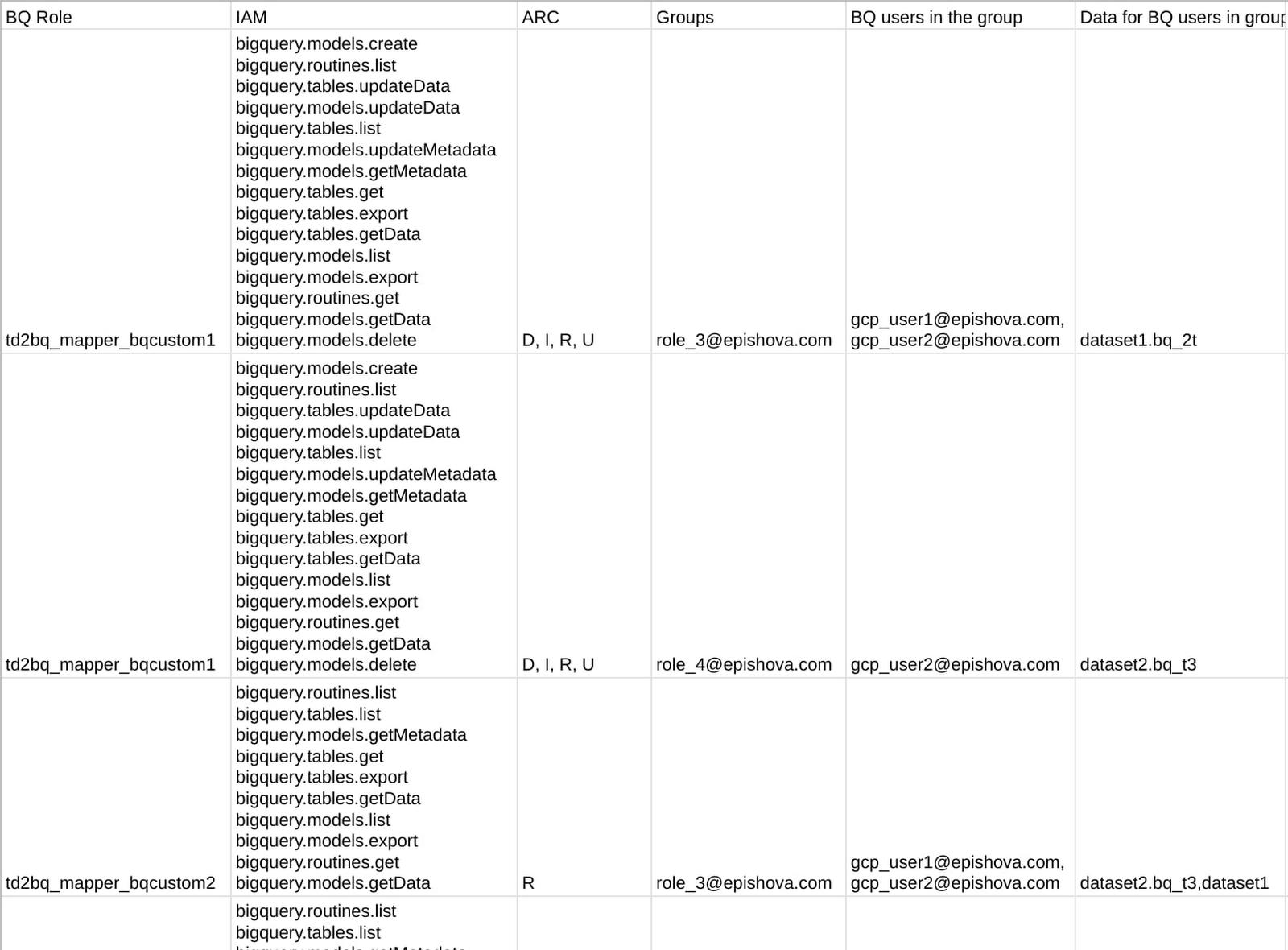
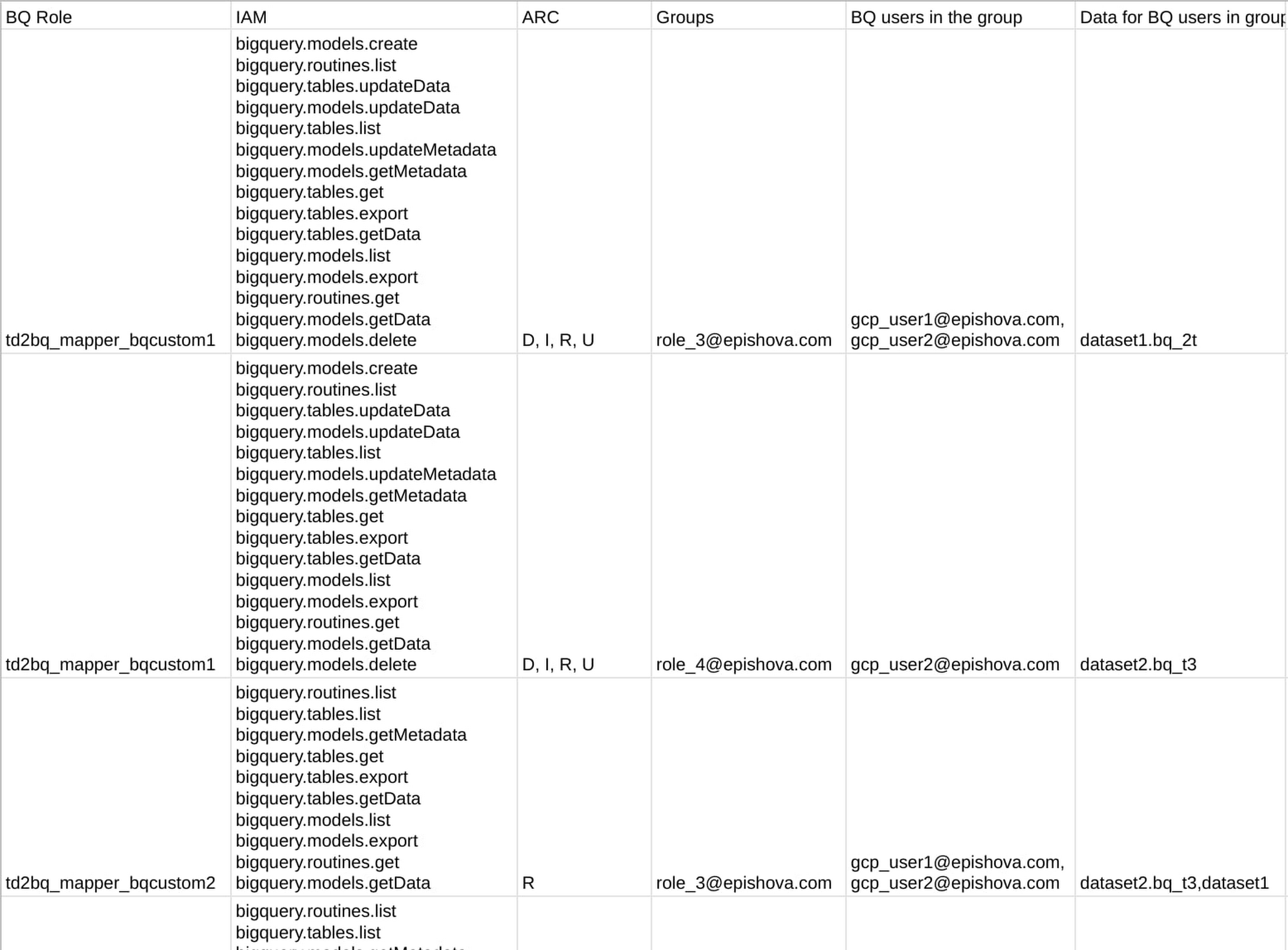
This final CSV is for review purposes only, so that you can see how the tool translated the Teradata permission file from the first step to the final IAM mapping, all in one file. Here is an example:
The executables will be shown in a local directory tree. Here is an example containing the corresponding JSON files:
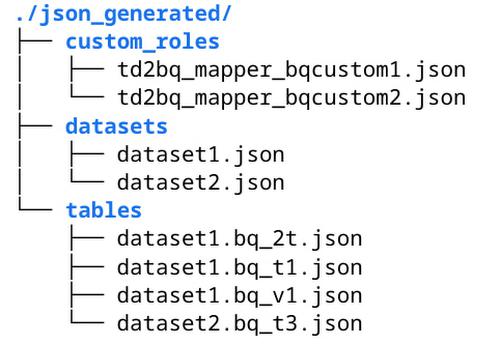
You can review and run these Terraform scripts or JSON files in Cloud Shell to create BigQuery custom roles, grant permissions, and bind resources. For example, this is how you can use gcloud CLI to create a custom role from generated td2bq_mapper_bqcustom1.json:
gcloud iam roles create td2bq_mapper_bqcustom1 \--project=”my-sample-project” \--file=./json_generated/custom_roles/td2bq_mapper_bqcustom1.json
Our User Guide provides detailed examples on how to run gcloud CLI with JSON files and execute Terraform scripts.
Getting Started
To test out the BigQuery Permission Mapper tool and make contributions, visit the Github page here. We happily welcome all feedback and edits to make this tool better. Future iterations will include the support for other data warehouse solutions such as Redshift and Oracle.
Special thanks to Daryus Medora and Jitendra Jaladi, who provided valuable feedback on this content.
By: Michelle Huang (Technical Account Manager) and Anna Epishova (Strategic Cloud Engineer)
Source: Google Cloud Blog
For enquiries, product placements, sponsorships, and collaborations, connect with us at [email protected]. We'd love to hear from you!
Our humans need coffee too! Your support is highly appreciated, thank you!