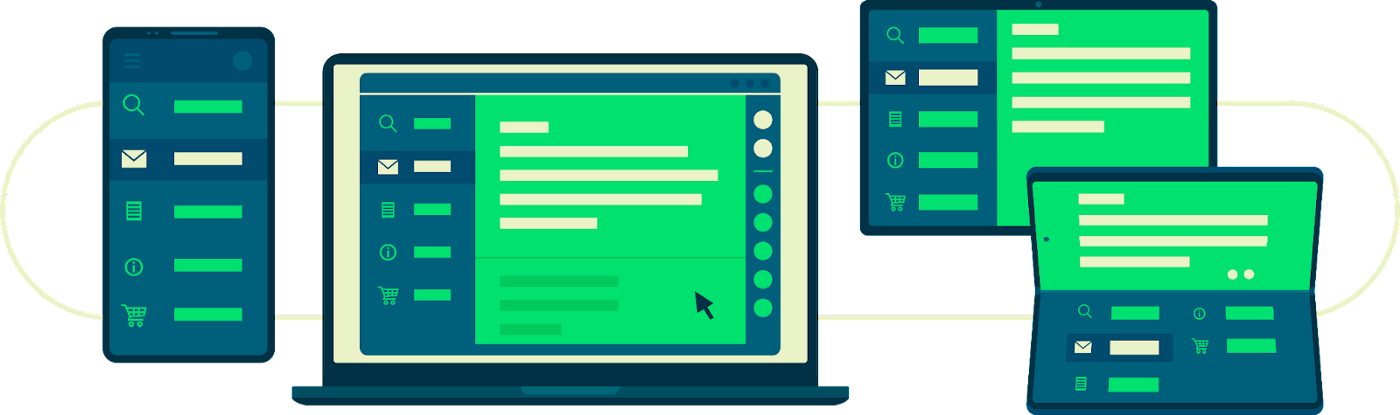
Nowadays Android runs on several billion devices, and phones are only a part of this ecosystem. Tablets, foldables, and even laptops and desktops support Android apps so you can find your app running on a variety of form factors.
In this article, you will learn how to get started with large screen support and why it is so important: accurately handling orientation changes, aspect ratios, and adaptive layouts may seem challenging, but with new large screen experiences in mind, multiple form factors bring terrific new possibilities to your users.
From our partners:
To help people get the most from their devices, we’re making big changes in Google Play to enable users to discover and engage with high quality apps and games, with a deeper focus on apps ready for larger screens. Moreover, Android 12L gives device manufacturers the option of overriding the app’s request for a preferred orientation, you can check here for this and the other changes.
Supporting every screen is hard, and it requires a change in how you think about adapting your app for every screen: this is why we’ve broken down the support for large screens on different levels. There are three levels of support your app can provide. The basic one, Tier 3 — Large screen ready, requires your app to run full screen on every surface without issues. The next step would be to optimize your app for large screens. In Tier 2 — Large screen optimized, your app will need to show optimized layouts and enhanced external input support. Lastly, there is the top support level. Tier 1 — Large screen differentiated expects your app to provide a fully differentiated experience on large screens.
| Tier   | Definition                    |
|--------|-------------------------------|
| Tier 3 | Large screen *ready*          |
| Tier 2 | Large screen *optimized*      |
| Tier 1 | Large screen *differentiated* |
In this article, you will learn how to get started with Tier 3 and why optimizing for large screens is important for your application.
Tier 3 is the first step to make an app work well with large screen devices. Follow this guide to ensure your app passes each of the requirements and your users can complete critical flows.
Configuration and continuity
Handling configuration changes has always been a cornerstone of Android app development, but it’s especially important for large screen devices. As aforementioned, users can always override the orientation, but this is not the only configuration change you should care about: physical keyboards being attached, window resizing and more events will be frequent with large screens. With new form factors available, it’s not a given that your users will hold their devices the way they hold smartphones. The first thing to take into account is that an app should not crash and should instead preserve its state during a configuration change, including scroll position and text typed in a text field. Media playback is also expected to resume where it left off when the configuration change was initiated.
There are multiple ways of achieving this. A <a class="au lf" href="https://developer.android.com/topic/libraries/architecture/viewmodel" target="_blank" rel="noopener ugc nofollow">ViewModel</a> to maintain state and push it down to the UI is a good start, but this task can be solved with other APIs as well.
Multi-window and multi-resume
Multiple form factors, and large screen devices in particular, challenge the idea that users will only have one app running at a given time. For the majority of apps, running alongside other apps on large screens will be the new norm, so it’s best to be prepared!
Multi-window poses new challenges as you may have to revisit your application’s lifecycle and investigate any resulting loss of resources, but it’s another important step on this journey.
Check out multi-window support to get on track with multi-window and multi-resume.
Camera preview and media projection
Dealing with camera features is definitely a very important part of this path, and it’s probably one of the most challenging. Users can use this component in any possible orientation, window size, or even foldable state. You might even think about leveraging unique postures like tabletop mode, or perhaps providing different experiences based on other factors that we haven’t thought of just yet.
Being able to correctly show a preview from the camera or simply play media with the correct orientation and aspect ratio is paramount to your users, and we’re here to help! We just released a new codelab to help you handle resizable surfaces in your camera appand you can use CameraX if you don’t need to access the low level APIs. Make sure to also check out the codelab on media streaming with ExoPlayer and this guide to the Media Projection API to get started.
Keyboard, mouse, and trackpad
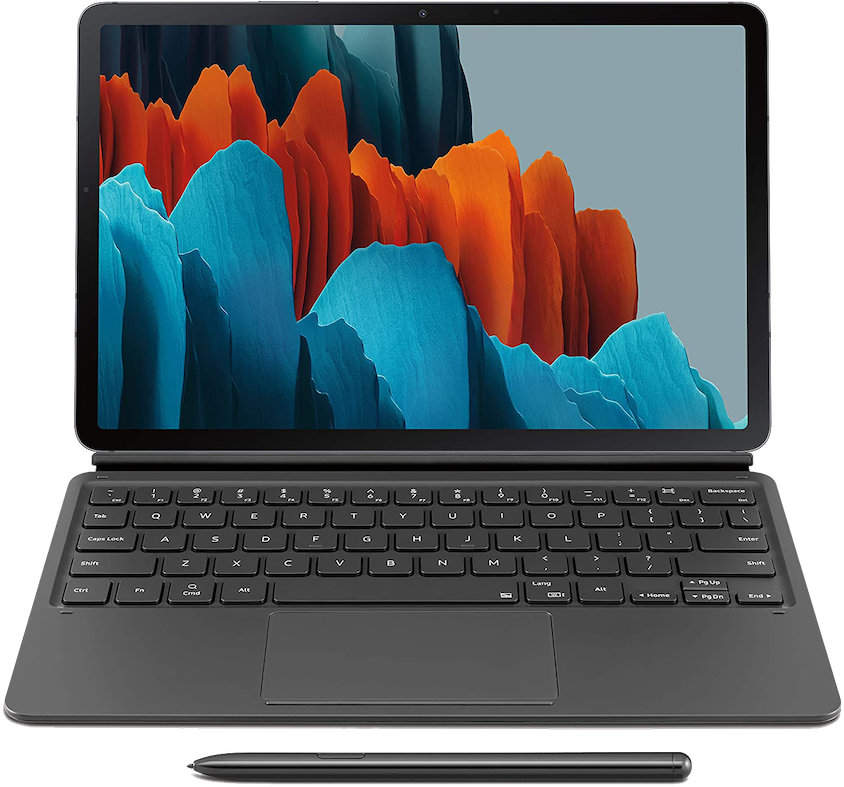
Think about how large screen form factors provide users with more options than ever before. For example, many new tablets come with a keyboard and a trackpad, or users might decide to take advantage of the bigger screen to use an external Bluetooth keyboard. It’s important that your app can switch between a virtual and physical keyboard without relaunching.
Let’s not forget about mouse and keyboard navigation. In the aforementioned scenarios, your users might need to use these devices as the only source of input, like on Chromebooks without touch support.
Check out handle external input on the Android developers website for information on how to navigate all of these possibilities and more.
Wrapping up
Providing a beautiful experience on every surface may challenge your assumptions about app development, but building for large screen form factors offers an exciting opportunity to create a more robust and accessible app. Make sure to check out the Tier 3 checklist and tests to ensure you’re meeting all the requirements to make your app large screen ready, and be ready for the next part of this journey into large screens!
By Roberto Orgiu
Source Medium
For enquiries, product placements, sponsorships, and collaborations, connect with us at [email protected]. We'd love to hear from you!
Our humans need coffee too! Your support is highly appreciated, thank you!