aster.cloud aster.cloud
  • /
  • Platforms
    • Public Cloud
    • On-Premise
    • Hybrid Cloud
    • Data
  • Architecture
    • Design
    • Solutions
    • Enterprise
  • Engineering
    • Automation
    • Software Engineering
    • Project Management
    • DevOps
  • Programming
    • Learning
  • Tools
  • About
  • /
  • Platforms
    • Public Cloud
    • On-Premise
    • Hybrid Cloud
    • Data
  • Architecture
    • Design
    • Solutions
    • Enterprise
  • Engineering
    • Automation
    • Software Engineering
    • Project Management
    • DevOps
  • Programming
    • Learning
  • Tools
  • About
aster.cloud aster.cloud
  • /
  • Platforms
    • Public Cloud
    • On-Premise
    • Hybrid Cloud
    • Data
  • Architecture
    • Design
    • Solutions
    • Enterprise
  • Engineering
    • Automation
    • Software Engineering
    • Project Management
    • DevOps
  • Programming
    • Learning
  • Tools
  • About
  • Public Cloud

Develop For Compute Engine In Your IDE With Cloud Code

  • aster.cloud
  • September 7, 2022
  • 3 minute read

When developing services with Compute Engine, our customizable compute service that lets you create and run virtual machines on Google’s infrastructure, you’ll likely find yourself frequently switching between your code editor, terminal, and the Google Cloud Console.

Cloud Code is a set of IDE plugins for popular IDEs like VS Code and IntelliJ that make it easier to develop applications that use Google Cloud services. And now, Cloud Code makes it easy to develop with Compute Engine by incorporating common workflows with your favorite IDE’s user interface.


Partner with aster.cloud
for your next big idea.
Let us know here.


From our partners:

CITI.IO :: Business. Institutions. Society. Global Political Economy.
CYBERPOGO.COM :: For the Arts, Sciences, and Technology.
DADAHACKS.COM :: Parenting For The Rest Of Us.
ZEDISTA.COM :: Entertainment. Sports. Culture. Escape.
TAKUMAKU.COM :: For The Hearth And Home.
ASTER.CLOUD :: From The Cloud And Beyond.
LIWAIWAI.COM :: Intelligence, Inside and Outside.
GLOBALCLOUDPLATFORMS.COM :: For The World's Computing Needs.
FIREGULAMAN.COM :: For The Fire In The Belly Of The Coder.
ASTERCASTER.COM :: Supra Astra. Beyond The Stars.
BARTDAY.COM :: Prosperity For Everyone.

Specifically, this new integration between Compute Engine and Cloud Code makes it easier to manage your commonly used virtual machines in the IDE, view details about them, connect to them over SSH, upload your application files to them, and view their logs.

Before you begin

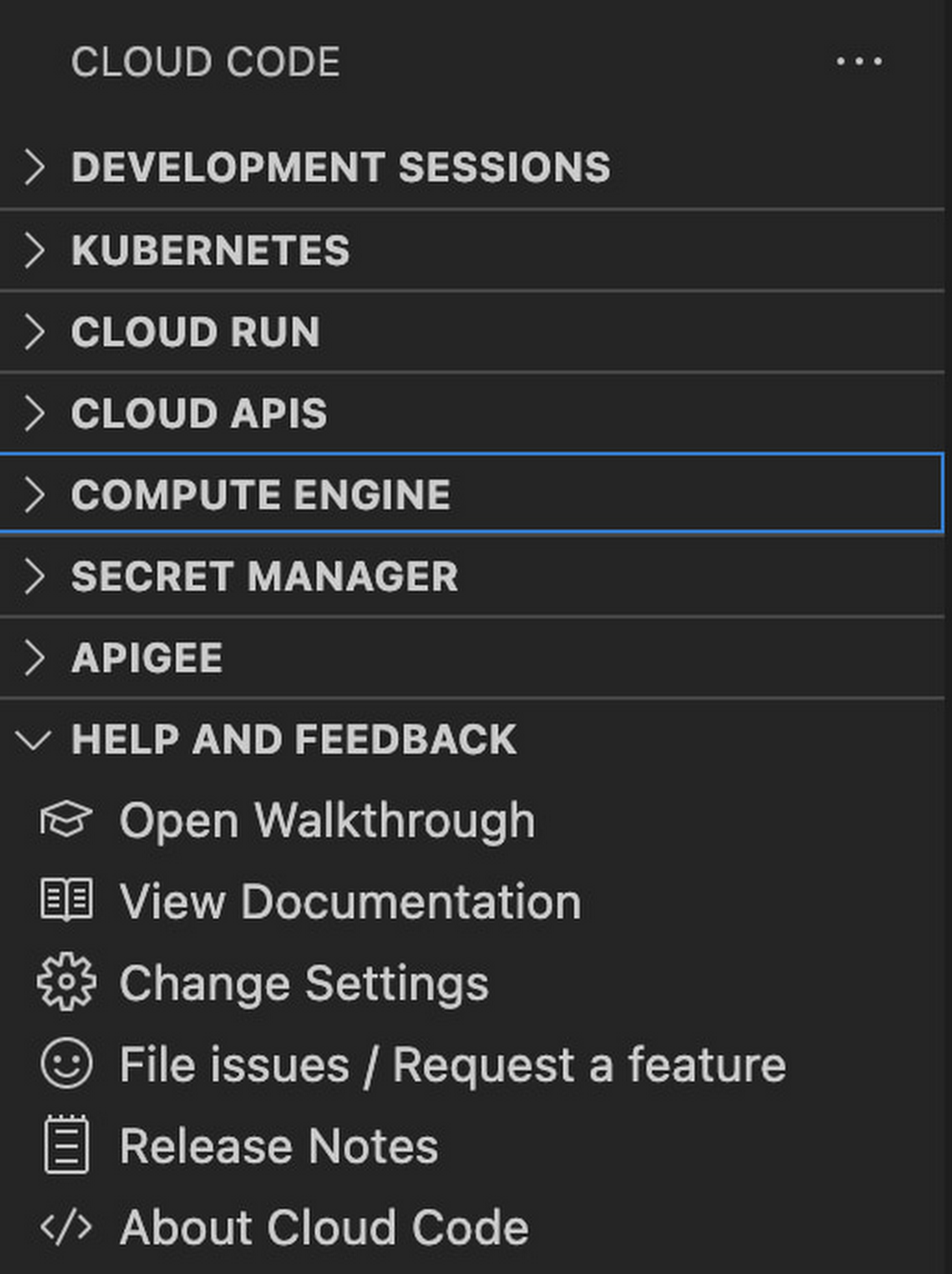
Let’s demonstrate how the new integration works in Cloud Code for VS Code. Install Cloud Code for VS Code, and once installed, open its icon on the activity bar on the left and find “Compute Engine”:
1 Compute Engine in your IDE.jpg

Cloud Code for Jetbrains IDEs (such as IntelliJ) could be installed similarly, and you will find Compute Engine in the list of your IDE tool windows.

View your VMs

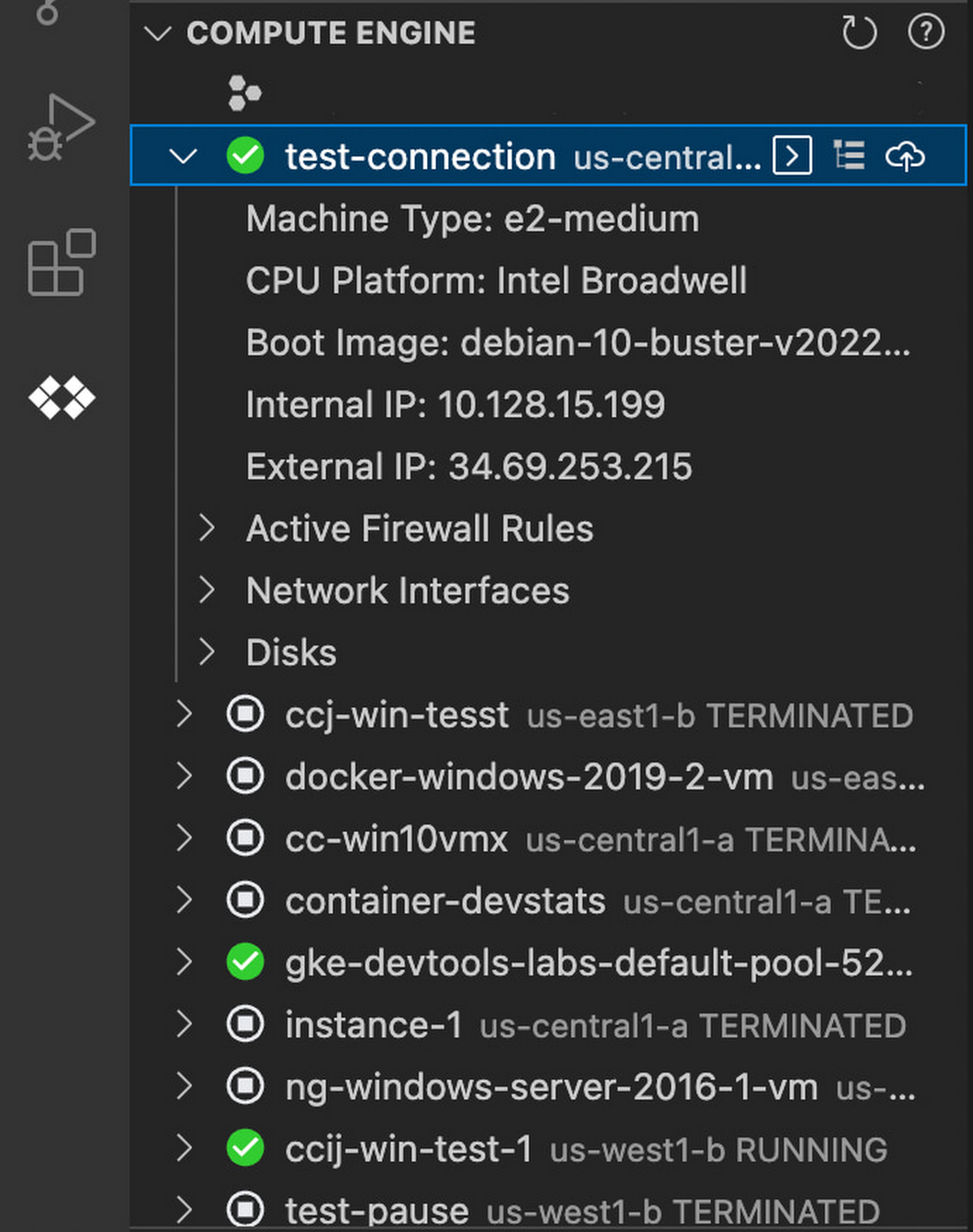
Cloud Code makes it easy to see all relevant VMs in your GCP project and view details needed to effectively work with the VM from the IDE. To start working with a Compute Engine VM in the IDE, navigate to Cloud Code’s new Compute Engine explorer. From there, you can see all the VMs in your current Cloud project. Clicking on a VM will display details such as machine type, boot image, IP address and more. You can also right click on a VM for a quick link to the Google Cloud Console where you can take additional action.
Read More  Ocwen Becomes A Cloud-First Company By Adopting Chrome OS
2 Compute Engine in your IDE.jpg

Connect to your VMs over SSH

Once you’ve found the VM you want to work with, Cloud Code makes it easy to connect to that VM over SSH. Again, find the VM you want to connect to in Cloud Code’s Compute Engine explorer, right click it, and select “Open SSH”. Cloud Code will then establish an SSH connection from your IDEs terminal into the VM. If there’s any difficulty establishing a connection, Cloud Code can run a troubleshooting diagnostic to help resolve the issue.

Many organizations maintain VMs that don’t have a public IP address, making it difficult to establish an SSH connection to them. For those VMs that use Identity-Aware Proxy, Cloud Code can still securely connect to them over SSH, even without a public IP address.

3 Compute Engine in your IDE.jpg

Upload files to your VMs

You might want to try a debug version of your application, run a script, or try a new code in an environment identical to production, in this case on a development VM instance which might not have access to full source code or is not a part of your CI/CD pipeline. Cloud Code provides an easy way to upload your code files into a VM instance.

Find the VM you want to connect to in Cloud Code’s Compute Engine explorer, right click it, and select “Upload File via SCP”. Choose a file from your local system and Cloud Code will upload it to a VM instance using SCP. Once upload completes, Cloud Code offers to open a new SSH connection to access the files and work with them on a remote VM instance. Again, if there’s any difficulty establishing a connection, Cloud Code can run a troubleshooting diagnostic to help resolve the issue.

Read More  The Impact Of Public Cloud Price Hikes

View your VM logs

As you’re working with your VM, you can right click it and select to view the VM instance logs. From Visual Studio Code this will open a logs viewer in the IDE. From IntelliJ, the logs viewer in the Cloud Console will be opened.  If you’ve configured application logs to be collected with Cloud Logging, you can also view those in these logs viewers as well.

Get Started

We invite you to try out Compute Engine with Cloud Code to better streamline your development workflow. To learn more, check out the Compute Engine documentation for Visual Studio Code and JetBrains IDEs. If you’re new to development with IDEs, you can take the first step by installing Visual Studio Code or IntelliJ.


By Russell Wolf, Product Manager | Ivan Portyankin, Software Engineer
Source Google Cloud


For enquiries, product placements, sponsorships, and collaborations, connect with us at [email protected]. We'd love to hear from you!

Our humans need coffee too! Your support is highly appreciated, thank you!

aster.cloud

Related Topics
  • Cloud Code
  • Compute Engine
  • GCP
  • Google Cloud
You May Also Like
View Post
  • Public Cloud

Connecting AI agents with unstructured data using Google Cloud Storage MCP Servers

  • June 10, 2026
Data center
View Post
  • Data
  • Public Cloud

Data Sovereignty in Spain. It’s Not Just About the Law, It’s About Efficiency

  • June 3, 2026
View Post
  • Data
  • Platforms
  • Public Cloud

PayPal’s historically large data migration is the foundation for its gen AI innovation

  • March 4, 2026
Google Cloud and ElevenLabs
View Post
  • Public Cloud
  • Technology

ElevenLabs Partners with Google Cloud for Cloud Services and the Latest NVIDIA Blackwell GPUs

  • February 26, 2026
View Post
  • Public Cloud

Delivering a secure, open, and sovereign digital world

  • February 12, 2026
View Post
  • Public Cloud

Formula E and Google Cloud Announce Multi-Year ‘Principal Partnership’

  • January 26, 2026
View Post
  • Public Cloud

Sawasdee Thailand! Google Cloud launches new region in Bangkok

  • January 23, 2026
View Post
  • Public Cloud

Retailers Help Mitigate Risk with Oracle’s AI-Driven Supply Chain Collaboration

  • January 11, 2026

Stay Connected!
LATEST
  • 1
    Expectations vs. Reality: The AI We Thought We’d Have in 10 Years
    • June 19, 2026
  • digital-nomad-freelancer-worker-2151205464 2
    One paperwork problem – Get your Digital Nomad Visa employment documents fast from UK, EU or Singapore
    • June 16, 2026
  • 3
    Samsung Art Store Brings Art Basel to Homes Worldwide With New Curated Collection
    • June 15, 2026
  • 4
    You Do Not Need to Invest in the IPO of SpaceX, Anthropic, and OpenAI
    • June 10, 2026
  • 5
    The consequences of relying on AI for accurate news
    • June 10, 2026
  • 6
    Connecting AI agents with unstructured data using Google Cloud Storage MCP Servers
    • June 10, 2026
  • 7
    WWDC26: Apple unveils next generation of Apple Intelligence, Siri AI, powerful parental controls, and an expansive set of software improvements
    • June 8, 2026
  • 8
    IBM and Google Cloud Announce Strategic Partnership to Scale AI with Human Expertise and AI‑Powered Delivery
    • June 4, 2026
  • Data center 9
    Data Sovereignty in Spain. It’s Not Just About the Law, It’s About Efficiency
    • June 3, 2026
  • 10
    Ink vs Pixels. What you miss versus what you are actually missing.
    • June 1, 2026
about
Hello World!

We are aster.cloud. We’re created by programmers for programmers.

Our site aims to provide guides, programming tips, reviews, and interesting materials for tech people and those who want to learn in general.

We would like to hear from you.

If you have any feedback, enquiries, or sponsorship request, kindly reach out to us at:

[email protected]
Most Popular
  • 1
    Banks race to patch new cyber vulnerabilities, and other cybersecurity news
    • May 25, 2026
  • pope-leo-xiv-cq5dam-1500.844 2
    Pope Leo XIV to Publish First Encyclical on Artificial Intelligence and Human Dignity on 25 May
    • May 22, 2026
  • 3
    Portfolio to Clients, and is Strengthened by Ongoing Project Glasswing Work
    • May 20, 2026
  • reMarkable Paper Pure 4
    Everything The reMarkable Paper Pure Actually Does
    • May 14, 2026
  • 5
    Scaling cloud and AI: Microsoft Azure’s commitment to Europe’s digital future
    • May 11, 2026
  • /
  • Technology
  • Tools
  • About
  • Contact Us

Input your search keywords and press Enter.