aster.cloud aster.cloud
  • /
  • Platforms
    • Public Cloud
    • On-Premise
    • Hybrid Cloud
    • Data
  • Architecture
    • Design
    • Solutions
    • Enterprise
  • Engineering
    • Automation
    • Software Engineering
    • Project Management
    • DevOps
  • Programming
    • Learning
  • Tools
  • About
  • /
  • Platforms
    • Public Cloud
    • On-Premise
    • Hybrid Cloud
    • Data
  • Architecture
    • Design
    • Solutions
    • Enterprise
  • Engineering
    • Automation
    • Software Engineering
    • Project Management
    • DevOps
  • Programming
    • Learning
  • Tools
  • About
aster.cloud aster.cloud
  • /
  • Platforms
    • Public Cloud
    • On-Premise
    • Hybrid Cloud
    • Data
  • Architecture
    • Design
    • Solutions
    • Enterprise
  • Engineering
    • Automation
    • Software Engineering
    • Project Management
    • DevOps
  • Programming
    • Learning
  • Tools
  • About
  • Engineering

Extend Chrome Security Reporting To CrowdStrike Falcon LogScale

  • aster.cloud
  • December 3, 2022
  • 3 minute read

Security insights are a critical piece of a secure enterprise browsing solution. Integrating your chosen security solution with Chrome, made possible by Chrome Enterprise Connectors Framework, gives IT and security teams a birds-eye view of the potential threats users face on the web and make data-driven decisions in their security journey.

We’re pleased to share that the Chrome and CrowdStrike Falcon LogScale integration is now available in the Google Admin console in Chrome Browser Cloud Management. Organizations can now easily set up the integration to extract and analyze insights from security events within managed Chrome browsers.Available Security Events


Partner with aster.cloud
for your next big idea.
Let us know here.


From our partners:

CITI.IO :: Business. Institutions. Society. Global Political Economy.
CYBERPOGO.COM :: For the Arts, Sciences, and Technology.
DADAHACKS.COM :: Parenting For The Rest Of Us.
ZEDISTA.COM :: Entertainment. Sports. Culture. Escape.
TAKUMAKU.COM :: For The Hearth And Home.
ASTER.CLOUD :: From The Cloud And Beyond.
LIWAIWAI.COM :: Intelligence, Inside and Outside.
GLOBALCLOUDPLATFORMS.COM :: For The World's Computing Needs.
FIREGULAMAN.COM :: For The Fire In The Belly Of The Coder.
ASTERCASTER.COM :: Supra Astra. Beyond The Stars.
BARTDAY.COM :: Prosperity For Everyone.

  • Malware transfer
  • Password changed
  • Unapproved password reuse
  • Unsafe site visit
  • Log-in events
  • Password breaches
  • Extension installs (coming soon)
  • Crash events (coming soon)

Enrolling machines in Chrome Browser Cloud Management

Getting started is easy. The first step is to make sure Chrome Browser Cloud Management is set up for your organization. This tool helps manage Chrome browser from a single, cloud-based Admin console across Windows, Mac, Linux, Android and iOS at no additional cost. This is the same console where IT teams can also manage Chrome OS.

Check out this guide for steps on how to enroll your devices. Once you are done, or if you already have Chrome Browser Cloud Management in place, move to the steps below.

Setup in CrowdStrike Falcon LogScale instance

  1. Log into your CrowdStrike Falcon LogScale instance.
  2. You will need to create a new repository for your Google Chrome data.
  3. Once you’ve created a new repository, under packages, click on the Marketplace section.
  4. Search for Chrome, then install the CrowdStrike Falcon LogScale package for google/chrome-enterprise. When choosing the package, the README provides information about the package contents and other related information.
  5. After installing the package, under Ingest, click on Ingest tokens and click the Add token button. Give it a name and type in Chrome under the assigned parsers.
  6. Select the Google_Chrome_Enterprise parser. Click on the eye icon to bring up the token value.
  7. Hit the copy button and save the token value, as you will be entering this into the admin console in the following section
Read More  Go Green: Sustainable Disaster Recovery Using Google Cloud


Setup in Chrome Browser Cloud Management 
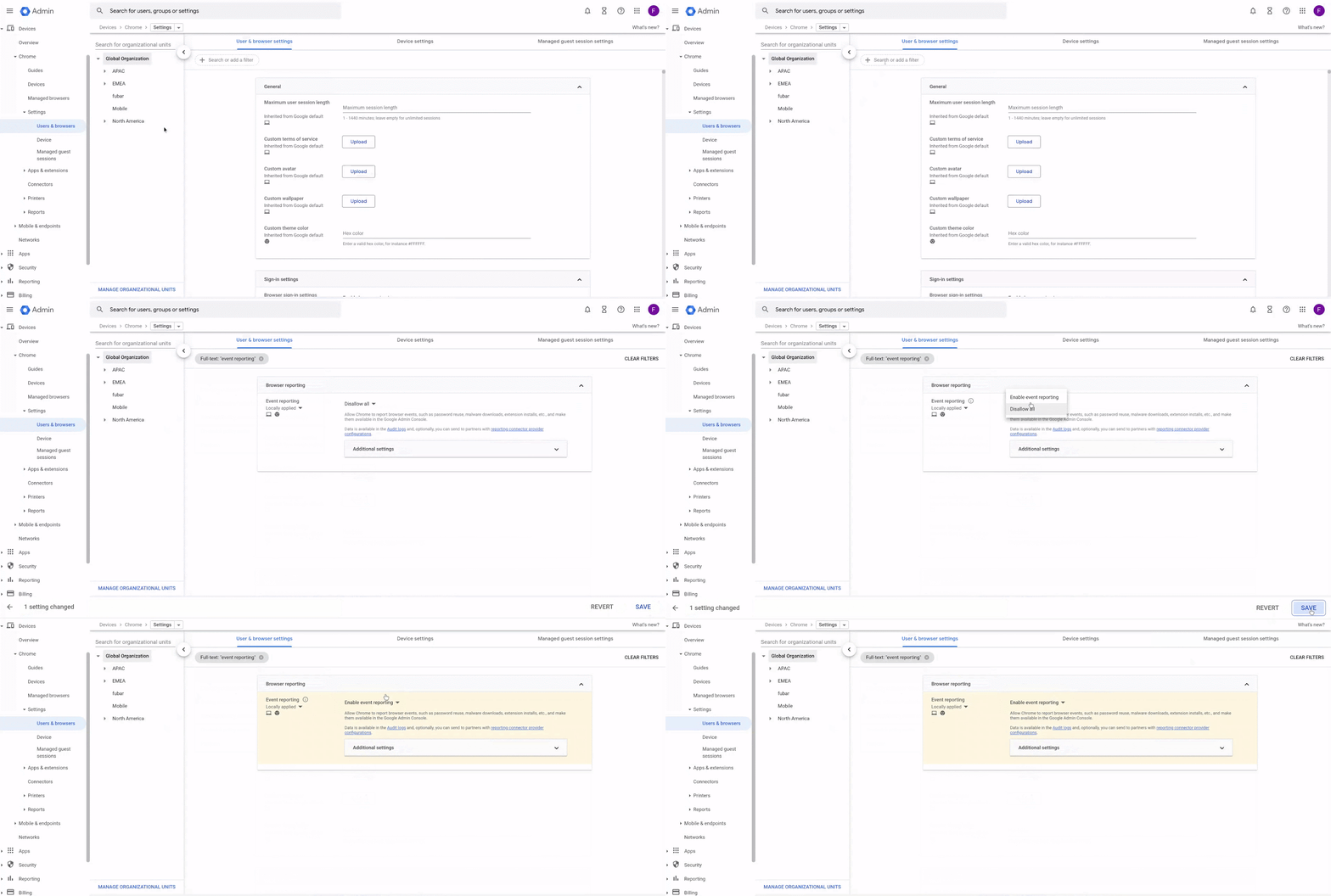
  1. Log into the Google Admin console at admin.google.com and select the organizational unit containing the enrolled browsers you want to send security events to CrowdStrike.
  2. Navigate to Devices>Chrome>Users and browsers. Add a filter for “event reporting.”
  3. Under events reporting, select Enable event reporting. Under the additional settings, you can specify which events you want to send to CrowdStrike.
  4. Now that the events are turned on, click on the blue hyperlink called “Reporting connector provider configurations” to take you to the connector provider configurations, or it can be found under Devices>Chrome>Connectors.
  5. Click the New Provider Configuration button and select CrowdStrike as the provider.
  6. Enter the configuration name that you want this connector to display as in the Google Admin console.
  7. Enter the host name of your CrowdStrike instance (most likely cloud.us.humio.com orsa-cluster.humio-support.com or your on-prem instance) and the ingest token value from step 7 of the last section
  8. Press the Add Configuration to save.
  9. Select the Organizational Unit where the reporting events are turned on, select the Chrome CrowdStrike connector created in the previous step, and hit Save.

You can also download the setup guide here or watch the setup of integration with CrowdStrike Falcon LogScale end-to-end in the video below:


Chrome is continuously working with other partners to expand the security ecosystem to help businesses work safer on the web. Learn more about Chrome browser security. 

By: Fletcher Oliver (Chrome Browser Customer Engineer)
Source: Google Cloud Blog


For enquiries, product placements, sponsorships, and collaborations, connect with us at [email protected]. We'd love to hear from you!

Our humans need coffee too! Your support is highly appreciated, thank you!

aster.cloud

Related Topics
  • Chrome Enterprise
  • CrowdStrike
  • Google Cloud
  • Security
You May Also Like
Points, Lines and a Question
View Post
  • Architecture
  • Design
  • Engineering
  • People

What Is The Point In Making Points?

  • November 26, 2025
View Post
  • Engineering
  • Software Engineering

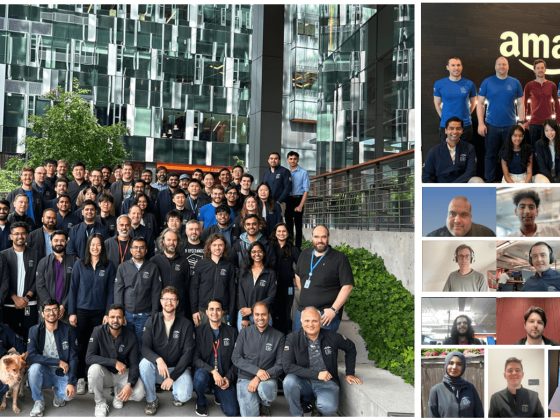
Development gets better with Age

  • October 9, 2025
View Post
  • Engineering
  • Technology

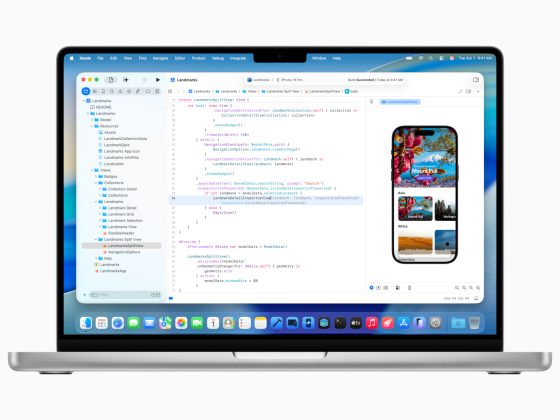
Apple supercharges its tools and technologies for developers to foster creativity, innovation, and design

  • June 9, 2025
View Post
  • Engineering

Just make it scale: An Aurora DSQL story

  • May 29, 2025
View Post
  • Engineering
  • Technology

Guide: Our top four AI Hypercomputer use cases, reference architectures and tutorials

  • March 9, 2025
View Post
  • Computing
  • Engineering

Why a decades old architecture decision is impeding the power of AI computing

  • February 19, 2025
View Post
  • Engineering
  • Software Engineering

This Month in Julia World

  • January 17, 2025
View Post
  • Engineering
  • Software Engineering

Google Summer of Code 2025 is here!

  • January 17, 2025

Stay Connected!
LATEST
  • 1
    IBM Study: One in Four Malicious Breaches are AI-Enabled, Costing Companies $6 Million on Average
    • July 29, 2026
  • 2
    Accelerating the frontiers of scientific discovery: Google’s $40M commitment to the Genesis Mission
    • July 26, 2026
  • 3
    3 Questions: Neural transparency and the future of AI design
    • July 17, 2026
  • 4
    Intel Invests €5 Billion to Expand Manufacturing in Europe
    • July 13, 2026
  • 5
    IBM and Red Hat Expand Lightwell with New Offerings to Build the Trust Infrastructure for AI-Era Open Source
    • July 8, 2026
  • 6
    When I Was Young
    • July 4, 2026
  • 7
    The Fastest AI Fried Chicken In The World
    • June 29, 2026
  • 8
    Zed Approves | How to Stay Cool in Extreme Heat
    • June 29, 2026
  • 9
    The AI investment surge hasn’t produced the expected results yet. That could change in 2026
    • June 26, 2026
  • 10
    Zed Approves | It’s Prime Day 2026! Time to Upgrade Your World Cup Viewing Setup and Beat the Heat
    • June 25, 2026
about
Hello World!

We are aster.cloud. We’re created by programmers for programmers.

Our site aims to provide guides, programming tips, reviews, and interesting materials for tech people and those who want to learn in general.

We would like to hear from you.

If you have any feedback, enquiries, or sponsorship request, kindly reach out to us at:

[email protected]
Most Popular
  • 1
    Zed Approves | The Best Prime Day PC Deals: Top Gaming Rigs, Workstations, and Everyday Laptops
    • June 24, 2026
  • neon-cart 2
    Zed Approves: How to Gear Up for GTA 6 This Amazon Prime Day (2026 Quick Guide)
    • June 22, 2026
  • zedreviews-valerion 3
    Father’s Day Outdoors – Build Dad the Ultimate Backyard Watch Party
    • June 20, 2026
  • zedreviews-fathers-day-50830 4
    Father’s Day Outdoors, Round Two – Gear for the Action, the Tailgate, and Beating the Heat
    • June 20, 2026
  • zedreviews-fathers-day-2147684744 5
    The Ultimate Father’s Day Gift Guide – Home Entertainment Upgrades Dad Actually Wants
    • June 20, 2026
  • /
  • Technology
  • Tools
  • About
  • Contact Us

Input your search keywords and press Enter.